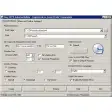
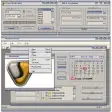
Hypertext Studio includes everything you need to create stunning web sites. Table drawing tools make it easy to lay out your page, the HTML source editor allows you to edit your page by hand.
Site and link management tools make completing your site a breeze.
WYSIWYG Editor
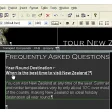
Creating topics or pages is totally visual in the HyperText Studio's WYSIWYG editor.What you see in the editor is what you get when you view your completed content. Visual drag-and-drop editing makes it easy to design topics and insert links.
Multiple topic windows can be opened at the same time and creating links is as simple as drag and drop.
WYSIWYG expanding regions
Many website and help files now include areas of a page that expand when you click a link.Creating these expanding regions has been very difficult and required a knowledge of scripting. However, in HyperText Studio 5. 0 this all changes.
Our new expanding regions feature gives you totally WYSIWYG editing of these regions, meaning no more guesswork about how your page is going to look.
Rollovers
Creating graphic rollovers, where a graphic changes in a web page as you move over it is now very simple with the HyperText Studio.Simply insert your graphic and then use the rollover property page to select the graphic to display when the mouse moves over your graphic and the HyperText Studio does the rest.
Topic Styles
Using topic styles, you can define content that can be used as the basis of other pages within a project. When using a topic style, authors can add content to only specific areas of a page, leaving common elements, such as navigation bars the same on all pages.Changing the original style will then change all pages that use the style.
HTML Code Editor
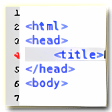
The color-coded HTML source code editing technology in the HyperText Studio takes editing your code to a new level.The attributes of each supported tag can easily be edited through the properties box interface. As you add tags or attributes into the editor the program will help you by providing drop-down lists to help with your selection.
Clean Up HTML Code
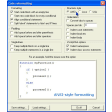
Over time code can become more messy, so the HyperText Studio makes it easy to reformat your code in a consistent manner at the click of a button.You can also clean existing content that comes in from Microsoft Word, removing undesired HTML markup. You can even define your own rules to add/remove or edit your own tags and attributes.
Cascading Style Sheets Editor
Full support is available for the creation and management of styles based on the Cascading Style Sheets 2 specification, allowing you to more easily create and manage styles.If you wish to create a new style, you can simply define it in the WYSIWYG editor, type the new name into the styles drop-down menu and the HyperText Studio will help you to add the new style to an existing style sheet, a new style sheet or directly into the page.
Hotspot Editor
Image Maps and Hotspots can be created very quickly with the excellent built-in Hotspot Editor. To start creating areas in a topic double-click on it and you're ready to mark out the areas.Magnify your picture up to 1600% for greater accuracy than with any other tool on the market.
Frame Editor
WYSIWYG frame editing is a reality with the HyperText Studio.At last, no more guessing about how your page will look. You can even edit your topics within the frames editor. Drag the sizing bars to visually resize a frame.




![[incr Tcl]](https://images.sftcdn.net/images/t_app-icon-s/p/7a6bf43f-2d4a-40fc-89ff-1eec420eeb3c/1368654833/incrtcl-icon.png)





















User reviews about Hypertext Studio
by Anonymous
Fantastic features but reliability issues.
HTS lets you organize your site in a hierarchy. For example the page about "Widgets" might have two logical branches. One branch might describe "uses" and the other branch describes "features". Each of those logical branches in turn might have further branches. This ability to display the logical structure of your site graphically makes HTS invaluable for managing larger (25 page and up) sites. AFAIK *no* other tool offers his feature.Another useful feature is that it can automatically reconcile links. Change the name of a page? HTS will quickly adjust all the links in the project accordingly.As with anything there is also a down side. HTS will lock up from time to time and heaven forbid that you have to quickly reinstall in the event of a hardware failure -- we've had to move entire projects to Coffee Cup or Dreamweaver in a crisis because it takes so long to negotiate reinstallation.Another peeve is that upgrades aren't always discounted. You need to repurchase major upgrades anew.The sad part is that in the end we abandoned three copies of HTS because or reliability issues.
Pros:
Site organization features
Cons:
reliability More